Design Custom Photo Tumblers with Canva and PNG Wraps
Creating professional, personalized drinkware used to require expensive equipment or outsourcing to a specialty shop. Now, with the right design assets and a bit of creativity, you can produce stunning, customized 20oz skinny tumblers from your home studio. This specific collection of Personalized Photo Tumbler PNG files and Canva templates bridges the gap between professional printing and DIY crafting. It offers a streamlined workflow for entrepreneurs, crafters, and content creators who want high-quality results without a steep learning curve.
Streamlining the Creative Workflow
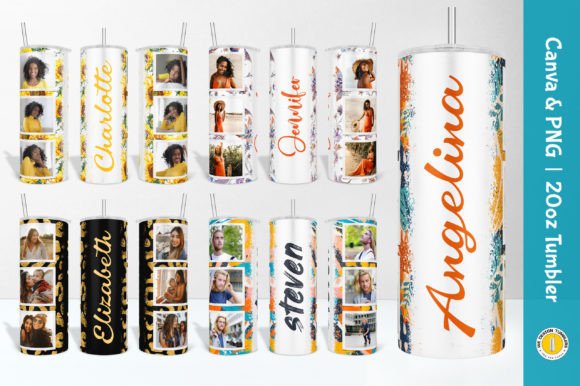
The core appeal of this bundle lies in its versatility and ease of use. The package includes 10 straight seamless PNGs, 10 tapered seamless PNGs, and editable Canva templates. This structure solves a major headache in sublimation and tumbler design: aspect ratios. A straight image wrapped around a tapered vessel will distort significantly. By providing pre-tapered files, the guesswork is removed, ensuring your photos and names sit perfectly on the curve of the tumbler.
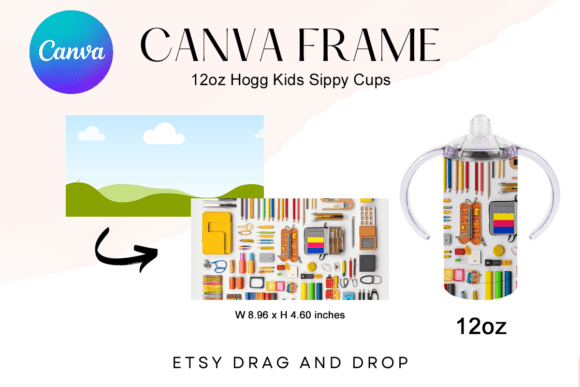
For those unfamiliar with the technical side of packaging design, the files are sized at 9.3" x 8.2" with a 300 DPI resolution. This is the industry standard for print design, ensuring that even close-up details remain crisp and pixel-free. The transparent background is a crucial feature here. It allows you to layer your client's photos behind the frame without worrying about masking edges or removing white boxes. Whether you are using Adobe Photoshop, Procreate, or the recommended Canva, the layering process is intuitive: place your photo, resize it to fit the frame, and flatten or export.
The Canva Advantage for Entrepreneurs
While these files function as standard PNG images, the inclusion of editable Canva templates elevates this from a simple graphic pack to a business tool. Canva has democratized graphic design, allowing small business owners and marketers to produce professional assets without mastering complex software like the Adobe Suite.
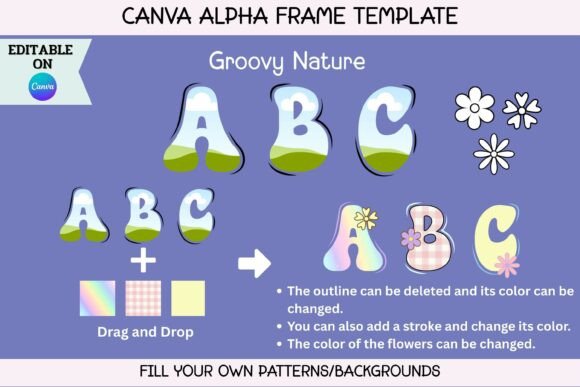
Using the Canva link provided in the bundle, you can directly edit text layers. This is particularly useful for adding customer names or custom messages to the tumbler design. You can change fonts, adjust colors, and manipulate the layout in a browser-based interface. For a small business owner fulfilling orders, this speed is invaluable. You can take a customer order, open the template, type in the name, download the file, and send it to your printer in under five minutes. This efficiency turns a creative hobby into a scalable business model.
Visual Style and Brand Identity
The visual language of these wraps leans heavily into modern, clean aesthetics. The included fonts—detailed in the provided TXT files and TTF/OTF assets—cover a range of styles, typically mixing a clean sans serif font with a flowing script font or handwritten font. This combination is a staple in modern typography, creating a visual hierarchy that is both readable and personal.
When considering brand identity, consistency is key. If you are a small business selling custom drinkware, your font choices communicate your brand's personality. A bold, modern display font suggests confidence and trend-awareness, while a delicate script font implies elegance and craftsmanship. Because the bundle includes the font files (which are 100% free for commercial use), you can extend this design language beyond the tumblers. You can use these same typefaces for your social media graphics, website headers, or logo design to create a cohesive look across all platforms.
Practical Application and Design Strategy
Using these assets effectively requires more than just slapping a photo onto a template. Here is a practical approach to getting the most out of your Personalized Photo Tumbler PNG files:
- Photo Selection: High-contrast photos work best. Since the tumbler is a physical object with a curve, low-light or muddy images can become difficult to read once printed. Aim for bright, clear subjects.
- Font Pairing: While the templates come with pre-selected fonts, feel free to experiment. If you are creating a masculine design, swap the script font for a bold serif font or a blocky sans serif font. The transparent PNG overlay allows the text to pop regardless of the background image.
- Color Harmony: Look at the dominant colors in your photo. If the image is warm (oranges, reds), consider using a white or cream overlay for the text to maintain readability. If the image is cool (blues, greens), a metallic gold or silver text effect in Canva can add a premium feel.
Technical Precision for Print
One of the most common mistakes in tumbler design is ignoring the bleed area. When you apply heat and pressure during the sublimation process, the edges of the design can sometimes get cut off. While these files are designed as seamless wraps, always ensure your critical text and focal points have a small margin of safety.
Furthermore, understanding the difference between the straight and tapered files is vital. Use the straight files for 20oz straight tumblers or glass cups. Use the tapered files specifically for the skinny tumbler shape. Mixing these up will result in a design that looks squished at the bottom and stretched at the top. The 300 DPI resolution ensures that the typography remains sharp. Vector-style elements in the PNG, such as borders or decorative flourishes, will print cleanly, maintaining the professional standard expected by customers.
Expanding Beyond Tumblers
While marketed for drinkware, the utility of these design assets extends further. The editable Canva templates can be repurposed for other print design projects. Consider using the frames for:
- Greeting Cards: The photo-centric layout works perfectly for holiday cards or invitations.
- Wall Art: A high-res PNG frame with a beautiful photo can be printed as a small piece of framed art.
- Social Media Content: Use the frames to create a consistent "photo of the day" series on Instagram, reinforcing your visual brand identity.
By treating these files as a starting point rather than a rigid final product, you unlock significant value. The combination of high-resolution PNG files and flexible Canva editing makes this an essential kit for anyone serious about personalized products. It removes technical barriers, allowing you to focus on what matters: the creative design and the customer experience.