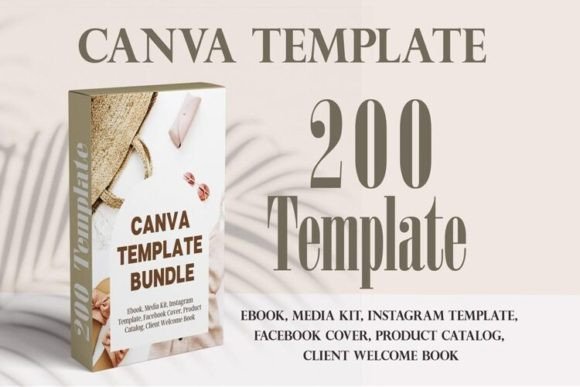
Lead Magnet Canva Template Bundle: Your 200-Page Design Toolkit
Building a cohesive brand presence as a service-based business often feels like juggling too many balls at once. You know you need polished lead magnets, professional eBooks, and consistent marketing materials, but starting from scratch each time drains creative energy. The Lead Magnet Canva Template Bundle changes this dynamic entirely. This collection of 200 editable pages gives coaches, designers, photographers, virtual assistants, and other professionals a practical foundation for creating high-quality digital assets without the design overwhelm.
What Makes This Bundle Different from Generic Template Packs
Most template collections offer scattered pages that lack cohesion. This Lead Magnet Canva Template Bundle takes a different approach by organizing content into distinct eBook and lead magnet structures. Each set follows a logical flow from cover to conclusion, which means you get a complete publication framework rather than isolated pages that still require heavy lifting to connect.
The visual personality across these templates leans clean and contemporary. Expect plenty of white space, balanced typography, and layouts that let content breathe. Whether you gravitate toward minimalist aesthetics or prefer something with more visual warmth, the neutral foundation makes customization straightforward. These are not overly stylized designs that lock you into a single look. Instead, they function as versatile starting points that adapt to different brand identities.
What stands out practically is how the templates handle information hierarchy. Headlines sit at appropriate sizes, body text blocks leave room for comfortable reading, and call-to-action sections occupy intentional positions. This kind of considered layout work typically requires a designer's eye, but here it arrives ready to populate with your own content.
Breaking Down the Template Collections
The bundle includes multiple eBook structures, each serving slightly different purposes depending on your goals.
The 31-page set works well for comprehensive guides or magazine-style publications. With 20 interior layouts available, you have substantial flexibility for longer content pieces. The inclusion of a planner page adds practical utility for productivity-focused or coaching audiences who appreciate actionable worksheets integrated into their reading experience.
For tighter projects, the 16-page collection covers essentials without excess. Two cover variations give you A/B testing options or allow the same template to serve different audience segments. Eleven content pages provide enough room for a focused topic without padding.
The 24-page structure introduces chapter pages and dedicated welcome sections, making it particularly suited for multi-part guides or course companion materials. The notes page and contact page round out the publication with professional finishing touches that encourage reader engagement beyond passive consumption.
Both 30-page collections offer expanded content capacity with distinct organizational approaches. One emphasizes checklist pages alongside standard content, which works brilliantly for implementation guides or step-by-step frameworks. The other provides multiple author and welcome page options, giving you more narrative control over how readers enter your material.
Practical Applications Across Service-Based Businesses
Coaches find these templates particularly valuable for creating client onboarding materials, workshop handouts, and lead magnets that demonstrate expertise before someone commits to paid services. A well-designed free guide signals professionalism and builds trust in ways that plain PDF documents simply cannot match.
Photographers and designers can repurpose these layouts for lookbooks, style guides, or portfolio presentations. The clean grid structures accommodate visual content generously, and changing placeholder images to your own work takes minutes rather than hours.
Virtual assistants and service providers benefit from using these templates for process documents, client proposals, and informational products that establish authority in their niche. When every interaction reflects thoughtful design, clients perceive higher value in the relationship.
Customization Without the Learning Curve
Working within Canva's free tier means no software subscriptions or technical barriers. Swapping colors to match your brand palette involves selecting elements and updating hex codes. Font changes happen with a few clicks, and Canva's library offers plenty of alternatives if the default typeface choices do not align with your visual identity.
The templates maintain their structural integrity even after significant customization. This matters because poorly constructed templates fall apart visually once you start modifying them. Here, the underlying layout grid holds everything together regardless of color scheme or content changes.
For those thinking about brand consistency, consider building a simple style guide alongside these templates. Document your chosen colors, fonts, and any recurring design elements. Then apply those decisions uniformly across every lead magnet and eBook you produce from the bundle. This approach transforms individual templates into components of a recognizable brand system.
Maximizing Your Investment
Start by identifying your most pressing content need. Perhaps you have been meaning to create a welcome guide for new clients or a resource that captures email subscribers. Pick the template structure that matches that goal and commit to completing one project before exploring other pages in the collection.
Pay attention to how different page types serve different purposes. Table of contents pages establish expectations. About pages build personal connection. Content pages deliver value. Conclusion and call-to-action pages direct next steps. Understanding this progression helps you write copy that works harmoniously with the visual layout rather than fighting against it.
The real power of a resource like the Lead Magnet Canva Template Bundle emerges over time. Each completed project becomes faster than the last because you develop familiarity with the editing process and clarity about your own design preferences. What once felt like a significant production effort becomes a routine part of your content workflow, freeing mental space for the strategic thinking that actually moves your business forward.