Transform Your Visuals with Rainbow Canva Frame Templates
In the fast-paced world of digital content, static imagery often gets lost in the scroll. Whether you are a small business owner refreshing your social feed or a designer looking to speed up your workflow, the Rainbow Canva Frame Template Bundle offers a vibrant solution. This collection is designed to inject color and structure into your social media graphics and digital printables. It moves beyond standard rectangular borders, offering a curated set of shapes that frame your content with personality. If you are looking to create a cohesive brand identity that feels energetic and modern, this asset is a foundational tool for your creative kit.
A Closer Look at the Bundle
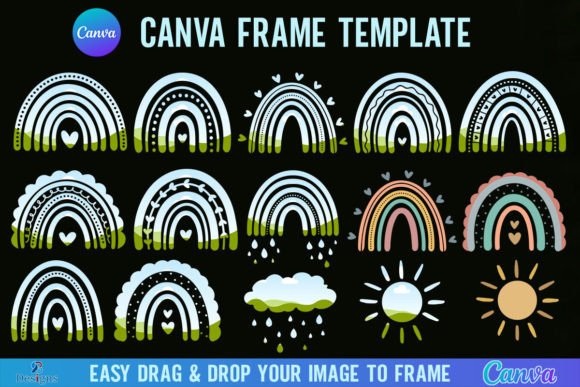
When you purchase the Rainbow Canva Frame Template Bundle, the process is streamlined for efficiency. You will receive a single ZIP file that needs to be unzipped to access the contents. Inside, there is a PDF file containing a direct link. Once you click this link, you gain immediate access to the templates within your Canva account. The bundle contains 12 distinct templates, each optimized for a large canvas size of 4000x4000 px. This high resolution ensures that your designs remain crisp and usable for both screen display and physical printing.
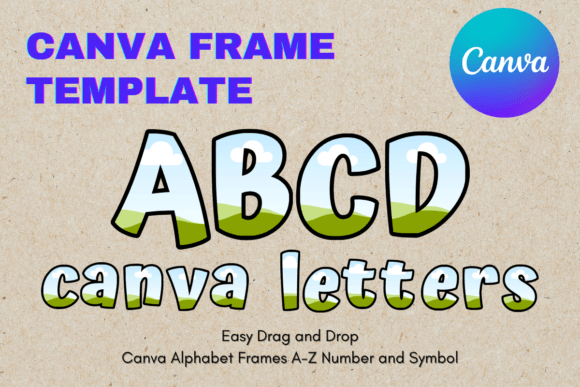
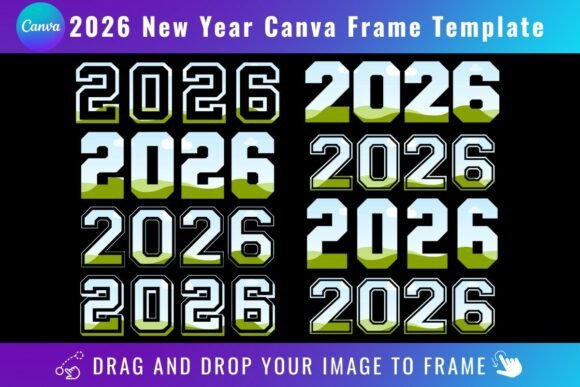
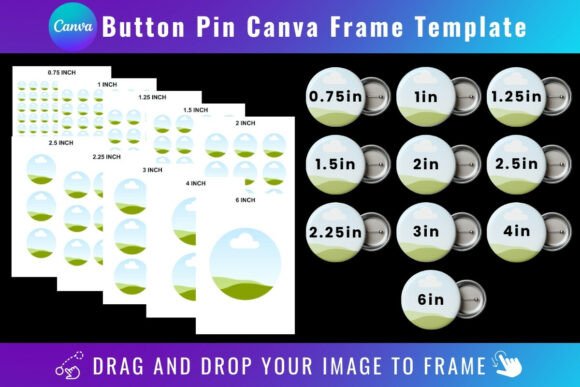
The visual appeal of these frames lies in their versatility. They act as design assets that can hold various types of media. The "rainbow" aesthetic suggests a spectrum of colors, but in practice, these frames serve as containers for your creativity. You can easily drag and drop any PNG or JPG background image into the frame to fill it instantly. This functionality allows for complex-looking compositions without the need for advanced masking skills in software like Photoshop. It is a practical approach to modern typography and layout design, where the container is just as important as the content it holds.
Maximizing Your Design Potential
The strength of the Rainbow Canva Frame Template Bundle lies in its adaptability across various project types. For marketers and entrepreneurs, these frames are invaluable for creating eye-catching product highlights. Instead of posting a standard square photo of a product, you can frame it within a unique shape that draws the eye. This enhances visual hierarchy in your posts, ensuring that the viewer focuses exactly where you want them to.
Consider the applications for publishers and bloggers. These frames can be used to create featured images for articles that stand out in a crowded RSS feed or news aggregator. By using consistent framing across a series of posts, you build recognition and consistency in your editorial design. Furthermore, crafters and hobbyists can utilize these templates to create printables for scrapbooking or party decorations. Because the resolution is high, the output quality is sufficient for standard home printing needs.
Integration and Workflow
Integrating the Rainbow Canva Frame Template Bundle into your workflow is seamless, provided you have the necessary tools. A FREE Canva account is sufficient to open, edit, and customize the templates. You can change colors, add text overlays, and adjust the positioning of elements to fit your specific needs. This accessibility makes it a great entry point for those who are not ready to invest in high-end premium font suites or complex desktop publishing software.
However, it is important to understand the limitations regarding file formats. This item is a Canva Frame Template file only. It is not an SVG file, which means it is not suitable for use with cutting machines like Cricut Design Space or Silhouette. If your goal is physical crafting with vinyl or cardstock cutting, this specific bundle will not meet those technical requirements. It is designed specifically for the digital canvas environment.
Transparency and Professional Output
For designers and content creators who require versatility in their final output, there is a specific requirement to note. If you need to download the finished design with a transparent background, you must have a Canva Pro version or higher. This feature is essential if you plan to layer your framed images over other backgrounds in different software or if you are creating assets for a website where the background color changes. The free version of Canva will export the design with a solid white background, which can limit your flexibility in web design and advanced packaging design projects.
Evaluating the fit of these frames for your project involves considering the personality of the shapes. "Rainbow" frames often suggest a playful, inclusive, or vibrant energy. They work exceptionally well for lifestyle brands, children’s products, event promotion, and wellness industries. If your brand identity is strictly corporate and minimalist, you may need to edit the colors heavily to mute the vibrancy. Conversely, if you are aiming for high audience engagement, the bold nature of these frames can stop the scroll and increase click-through rates.
Practical Recommendations for Use
To get the most out of the Rainbow Canva Frame Template Bundle, treat these templates as a starting point rather than a finished product. Experiment with font pairings that complement the style of the frame. For example, a bold, playful frame might pair well with a rounded sans serif font or a script font for headings, while a cleaner frame might suit a serif font for a more editorial look. The interplay between the frame's shape and your typography choices will dictate the overall readability and professionalism of the piece.
Remember that this is a digital product and no physical frames will be shipped. The value is in the digital asset itself—the ability to reuse and remix these 12 templates endlessly for different clients or projects. By mastering the drag-and-drop functionality within Canva, you can rapidly prototype ideas for logo design mockups, event flyers, or Instagram Stories. This efficiency allows you to focus more on the creative strategy and less on the technical setup, making the Rainbow Canva Frame Template Bundle a practical addition to any creative professional's toolkit.